Security,
Roles & Access

Keep Access Clear.
Keep Information Secure.

Secure Access.
Clear Accountability.

Give the right people access to the right information while keeping volunteer program activity visible and controlled.

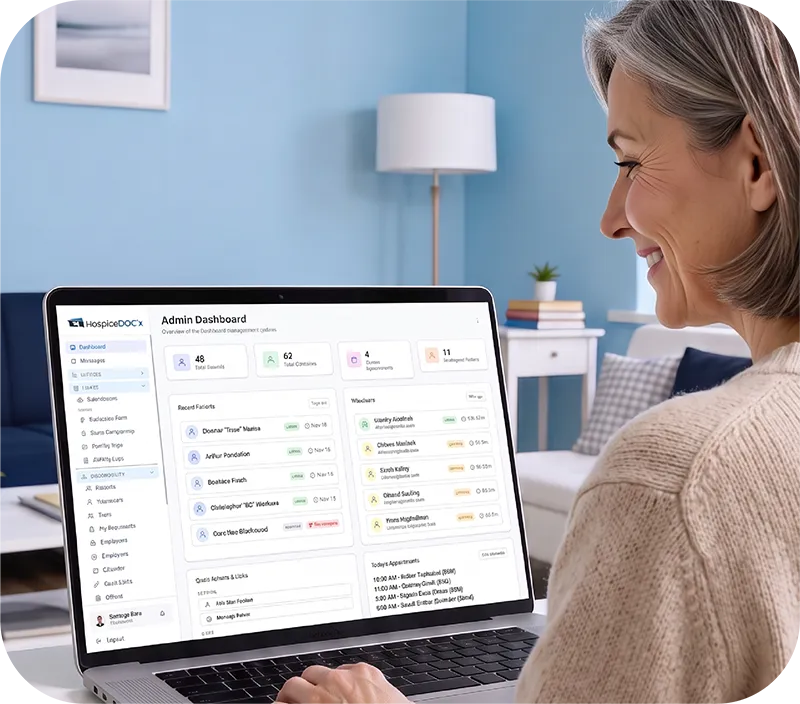
Hospice volunteer programs involve sensitive information, multiple staff roles, and different levels of responsibility. Hospice Docs helps organizations manage access more carefully by combining role-based permissions, location-based visibility, login monitoring, and activity tracking within the platform.

Control Access
by Role

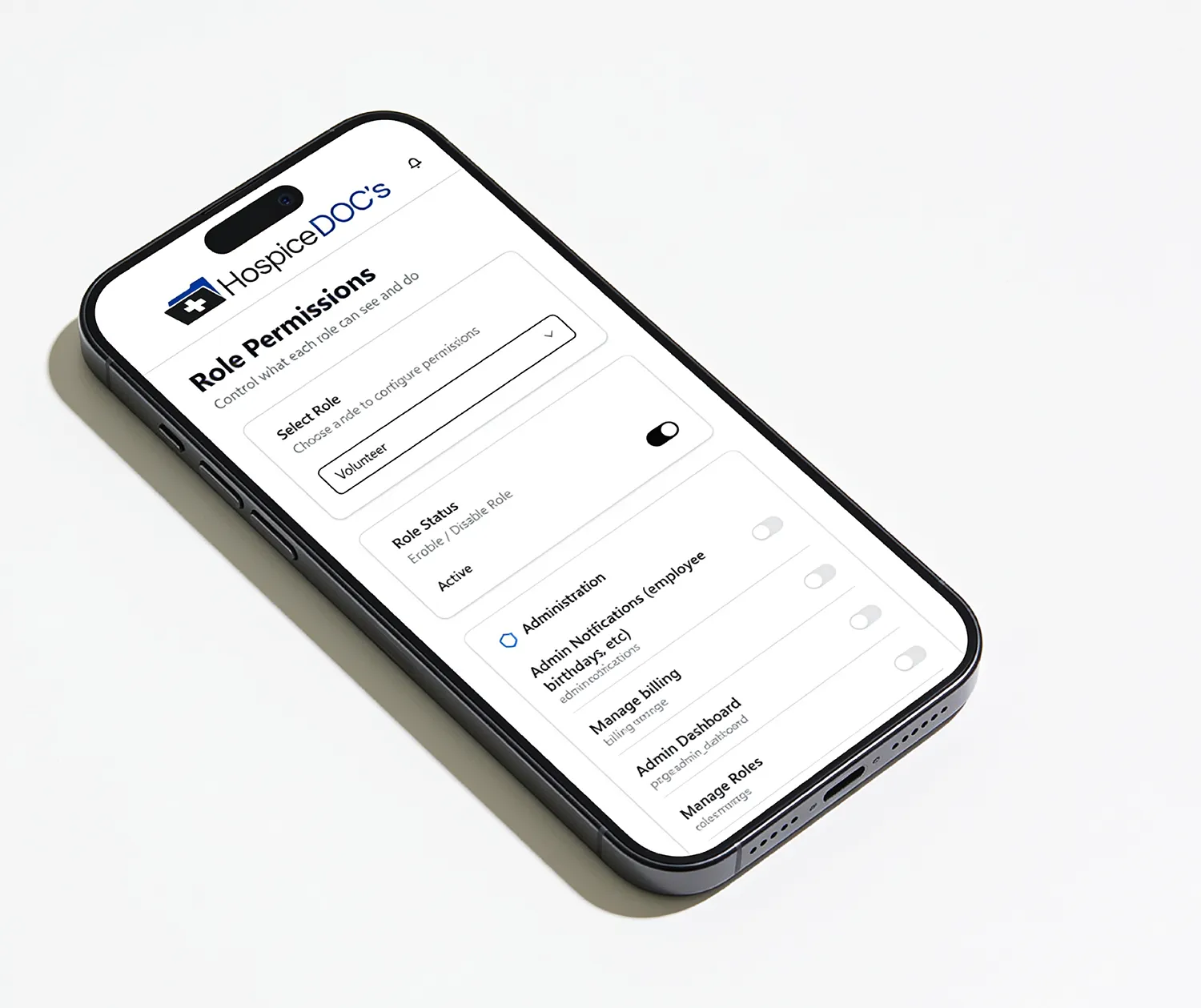
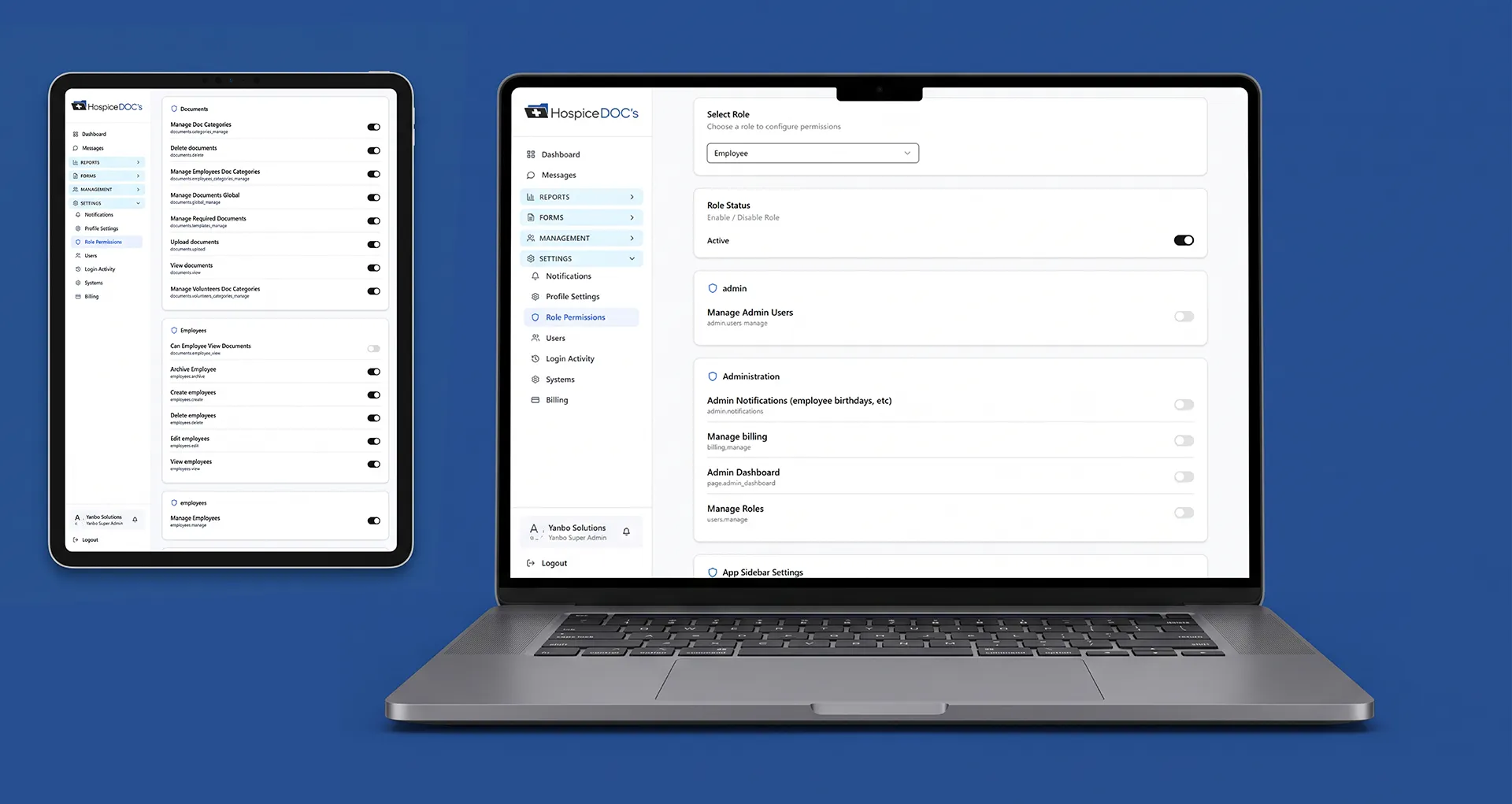
Hospice Docs allows organizations to assign users to defined roles based on their responsibilities.

Different roles can be given different levels of access, helping administrators control which parts of the system each user can work with.

Set Permissions Around What
Users Can See and Do

Permissions can be configured around specific actions such as viewing, creating, editing, deleting, downloading, archiving, or uploading information.

This gives organizations more control than a simple all-or-nothing access model

Limit Access
by Location

User access can be limited to the offices or locations they are responsible for.

Local coordinators can work with information relevant to the locations they manage, while administrators can maintain broader visibility across the organization.

Protect Sensitive
Volunteer Information

Hospice Docs includes visibility controls that help limit access to sensitive volunteer documents and information.

This allows organizations to keep certain records available only to users who need access to them.

Track Login Activity

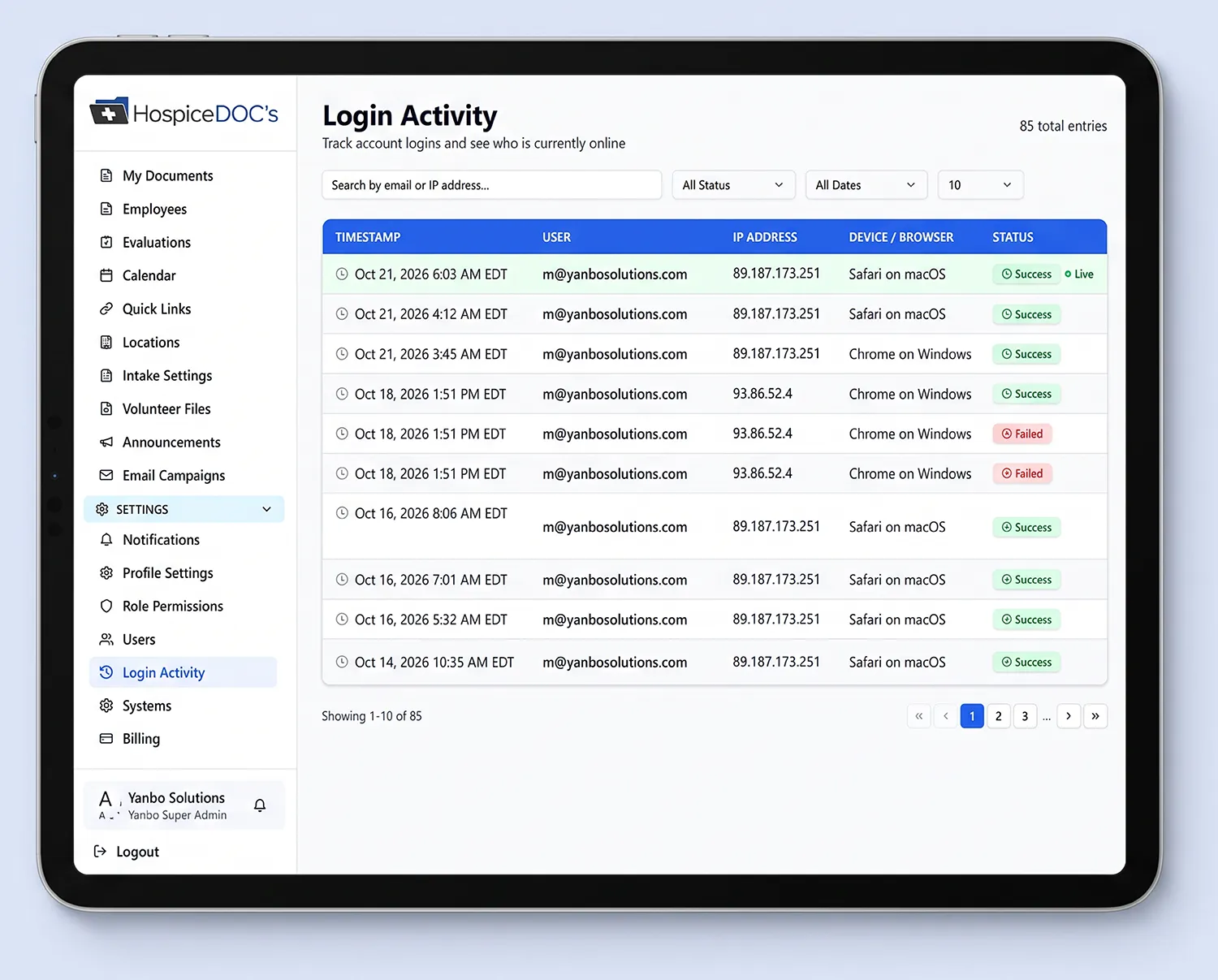
Login activity can be reviewed within Hospice Docs, including information such as the user, date and time, IP address, device, browser, and login status.

This gives administrators additional visibility into account access and helps them review successful or failed login activity when needed.

Support Accountability
With Activity Logs

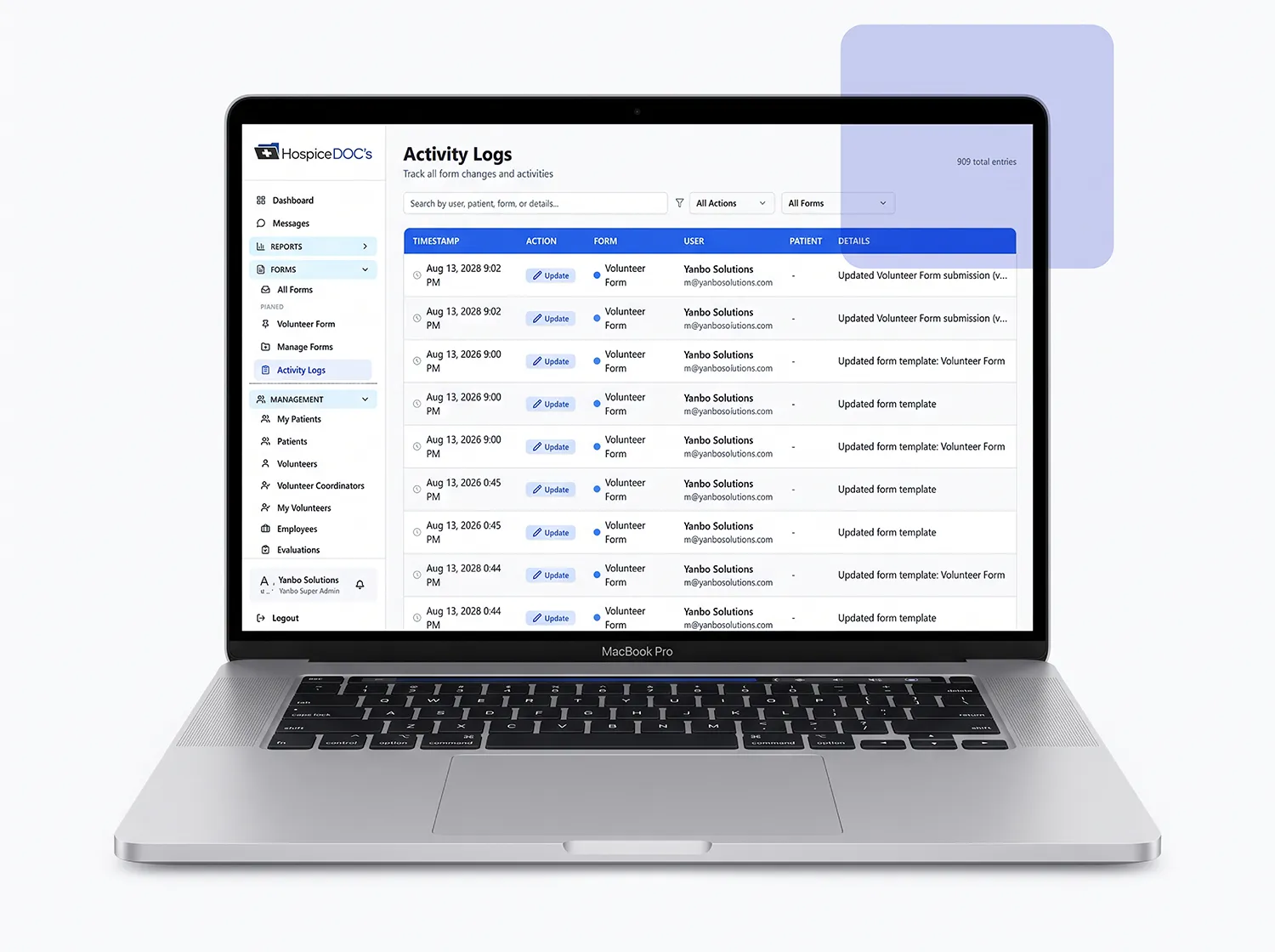
Activity logs help show when records were created, changed, or submitted and who performed the action.

This gives administrators and coordinators a clearer history of system activity without relying on memory or manual tracking

Use Multi-Factor
Authentication & Secure Access

Hospice Docs supports multi-factor authentication and secure browser-based access.

Combined with secure data transmission and modern cloud infrastructure, these controls help support the security and reliability needed for day-to-day hospice volunteer management

See How Hospice Docs Helps
Manage Roles, Access & Security

Schedule a Free Demo!

The easiest way to understand Hospice Docs is to see it in action.

What to Expect?

  • A clear, step-by-step walkthrough of the platform
  • Real examples based on hospice workflows
  • Answers to your questions
  • No pressure or commitment

No technical experience needed.
We’ll guide you through everything.

Security, Roles & Access FAQ

Have questions about roles, permissions, and access in Hospice Docs? Find answers to common questions about user roles, permissions, location-based access, sensitive information, login activity, audit history, and secure access

Can Hospice Docs control what different users can access?

Yes. Hospice Docs uses role-based permissions to help organizations control which areas of the system different users can access.

Yes. Permissions can be configured around actions such as viewing, creating, editing, deleting, downloading, archiving, and uploading information.

Yes. Users can be associated with specific offices or locations so local staff can work with the information relevant to the areas they manage.

Yes. Visibility controls can help limit access to sensitive volunteer documents and information based on user permissions.

Yes. Hospice Docs can provide visibility into login activity, including the user, date and time, IP address, device, browser, and login status.

Yes. Activity logs can show when records were created, changed, or submitted and which user performed the action.

Yes. Multi-factor authentication is available as an additional layer of account security.

Yes. Hospice Docs provides secure browser-based access, allowing authorized users to work within the platform without requiring locally installed software.

Trusted by Those
Who Care Most

Results & Proof!

Ready to Simplify
Hospice Volunteer Management?

See how Hospice Docs can help your team reduce administrative work, stay organized, and manage your volunteer program more efficiently.